01 Site Roof or land, constraints and inputs.
Start with a site and a documented design basis.
Review this stage → Workflow review What to review at this stage Site geometry Constraints and exclusions Documented design inputs Review my requirement → 02 Layout Module arrangement and site constraints.
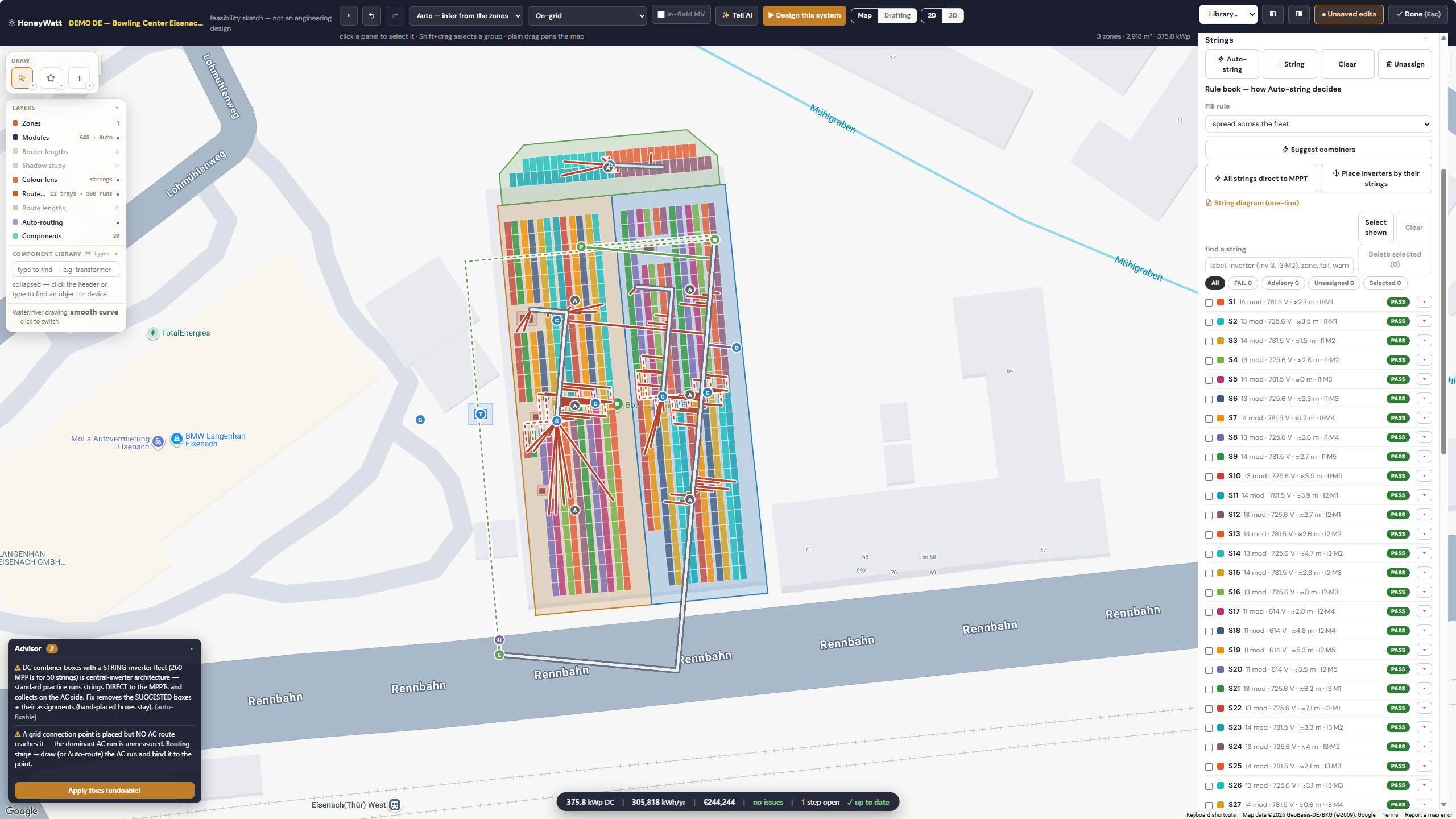
Review the placement and usable area in the engineering canvas.
Review this stage →
HoneyWatt · demo feasibility layout. Engineering review is required before release.
ENGINEERING REVIEW REQUIRED ⓘ HoneyWatt · demo feasibility layout. Engineering review is required before release.
03 Electrical Stringing and connections.
Agree the electrical design basis before reviewing the engineering output.
Review this stage → Workflow review What to review at this stage String and inverter limits Cable and protection assumptions Connection checks Review my requirement → 04 Storage Battery sizing and operating assumptions.
Define the storage requirement and the assumptions a qualified engineer must review.
Review this stage → Workflow review What to review at this stage Battery architecture Power and usable energy Operating assumptions Review my requirement → 05 Simulation Modelled yield and system behavior.
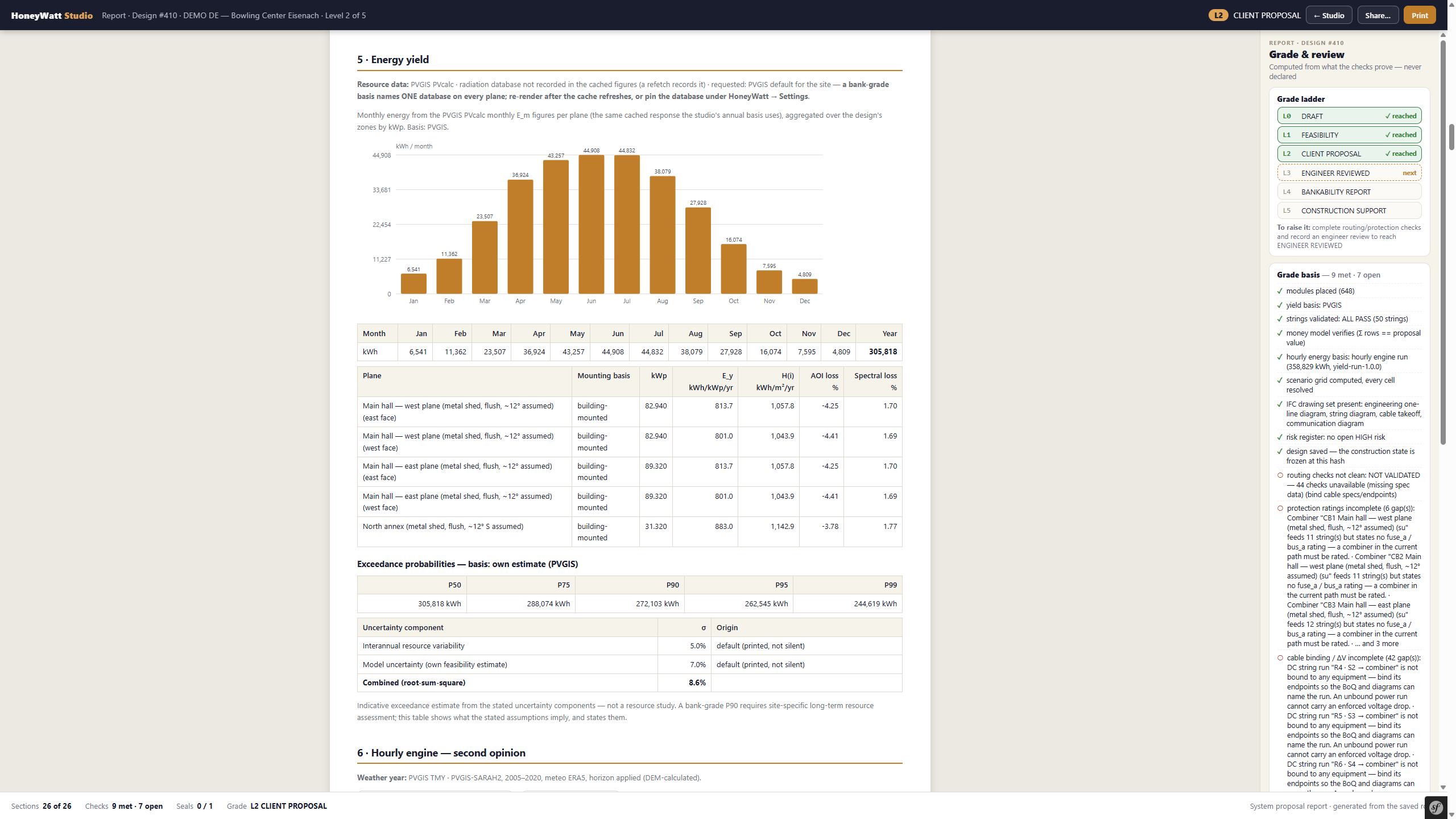
Inspect simulated output and its underlying assumptions.
Review this stage →
HoneyWatt · demo yield report with assumptions and open checks. Modelled results, not a savings guarantee.
ENGINEERING REVIEW REQUIRED ⓘ HoneyWatt · demo yield report with assumptions and open checks. Modelled results, not a savings guarantee.
06 Economics Costs and financial assumptions.
Review the commercial assumptions; simulated yield alone does not establish a financial return.
Review this stage → Workflow review What to review at this stage Capital and operating costs Tariff and consumption assumptions Sensitivity and uncertainty Review my requirement → 07 Output Drawings, BoQ and qualified engineer review.
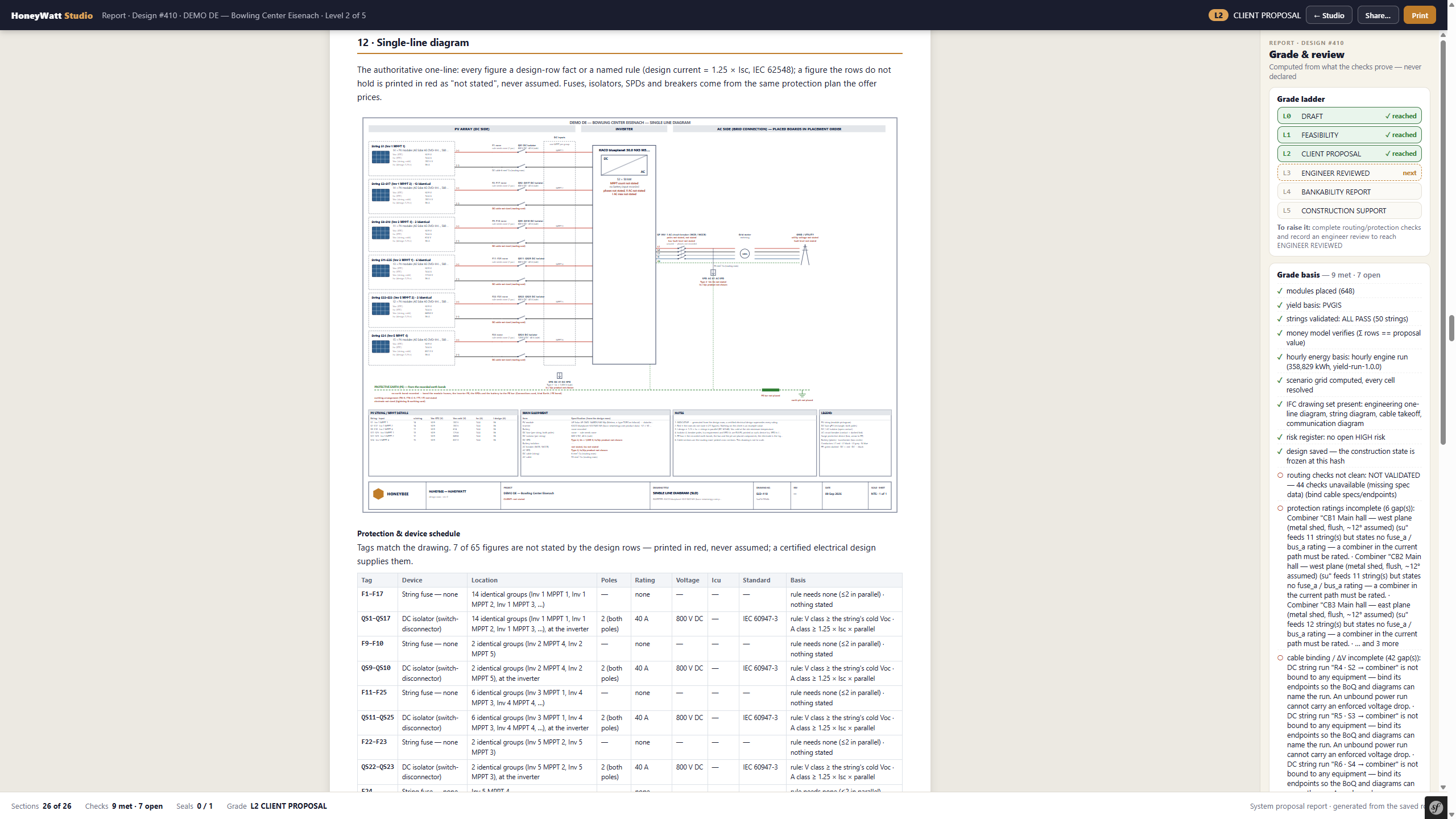
Review deliverables before release. This capture shows the SLD, not every available output.
Review this stage →
HoneyWatt · demo single-line diagram. Shown at client-proposal stage; qualified engineering review remains required.
ENGINEERING REVIEW REQUIRED ⓘ HoneyWatt · demo single-line diagram. Shown at client-proposal stage; qualified engineering review remains required.
Site Workflow review What to review at this stage Site geometry Constraints and exclusions Documented design inputs Review my requirement → Start with a site and a documented design basis.
Layout
HoneyWatt · demo feasibility layout. Engineering review is required before release.
ENGINEERING REVIEW REQUIRED ⓘ HoneyWatt · demo feasibility layout. Engineering review is required before release.
Review the placement and usable area in the engineering canvas.
Electrical Workflow review What to review at this stage String and inverter limits Cable and protection assumptions Connection checks Review my requirement → Agree the electrical design basis before reviewing the engineering output.
Storage Workflow review What to review at this stage Battery architecture Power and usable energy Operating assumptions Review my requirement → Define the storage requirement and the assumptions a qualified engineer must review.
Simulation
HoneyWatt · demo yield report with assumptions and open checks. Modelled results, not a savings guarantee.
ENGINEERING REVIEW REQUIRED ⓘ HoneyWatt · demo yield report with assumptions and open checks. Modelled results, not a savings guarantee.
Inspect simulated output and its underlying assumptions.
Economics Workflow review What to review at this stage Capital and operating costs Tariff and consumption assumptions Sensitivity and uncertainty Review my requirement → Review the commercial assumptions; simulated yield alone does not establish a financial return.
Output
HoneyWatt · demo single-line diagram. Shown at client-proposal stage; qualified engineering review remains required.
ENGINEERING REVIEW REQUIRED ⓘ HoneyWatt · demo single-line diagram. Shown at client-proposal stage; qualified engineering review remains required.
Review deliverables before release. This capture shows the SLD, not every available output.
Product captures show the supplied interface. Workflow review cards describe the questions to discuss; they are not screenshots.
 HoneyBee